Features
What Drop does, the main things first. Each part links to the page with every detail.
Your agent drops, people review
Connect Claude Code, Claude, ChatGPT, Codex, Cursor, or any MCP client with one URL; it signs in through your browser, with no keys to paste. Ask it for a plan, a report, or a small app, and it publishes the drop and answers with the link. When people have commented, it reads the open comments, publishes the next version, and resolves what it addressed.
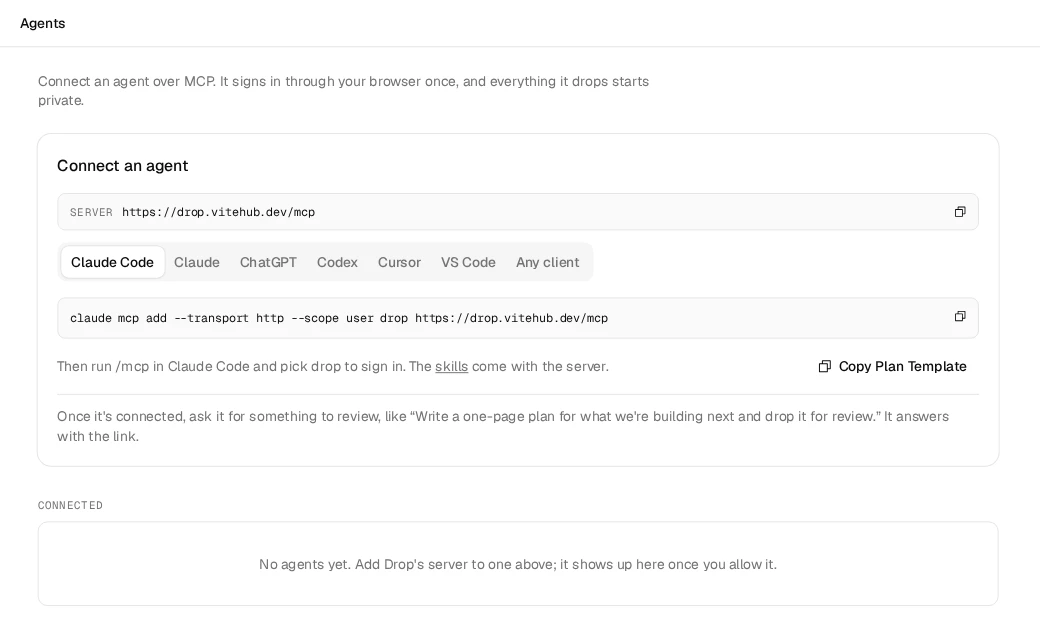
Connect an agent has the setup for each client and every tool.
Comments on the exact spot
Select a sentence, click a spot in an image, or drag a box over part of a page, and write. The pin stays on what it points at, and its thread holds the replies. Copy a thread's link to send someone straight to it, or copy every open comment as Markdown for an agent that isn't connected.
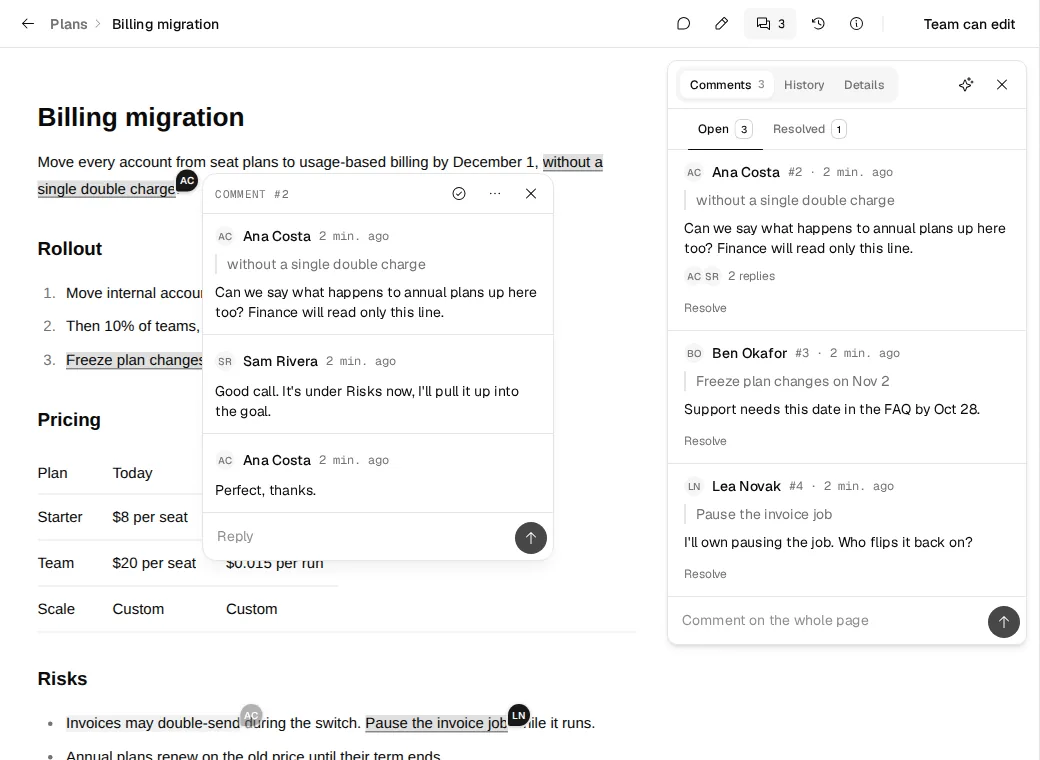
More in Comments.
Private until you share it
A drop starts with the Drop's default: Only me on a personal Drop, the Team on a team Drop. One dialog changes it: the team can open it or edit it, or a public link lets anyone open it, and comment if you allow it.
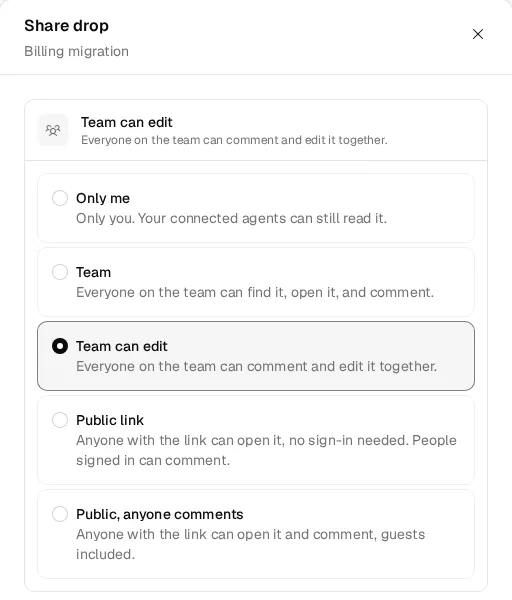
More in Sharing.
Edit together
Everyone who may edit a Markdown doc opens it with Edit and works in the same draft, live, with each other's cursors. Publish makes the draft the next version, which the agent picks up like any other.
More in Edit together.
Version history
Every version of a doc gets a number and a note on what changed. History lists them, and a click shows what a version changed against the one before. Open comments carry over to the next version, and the doc keeps one link that always opens the latest.
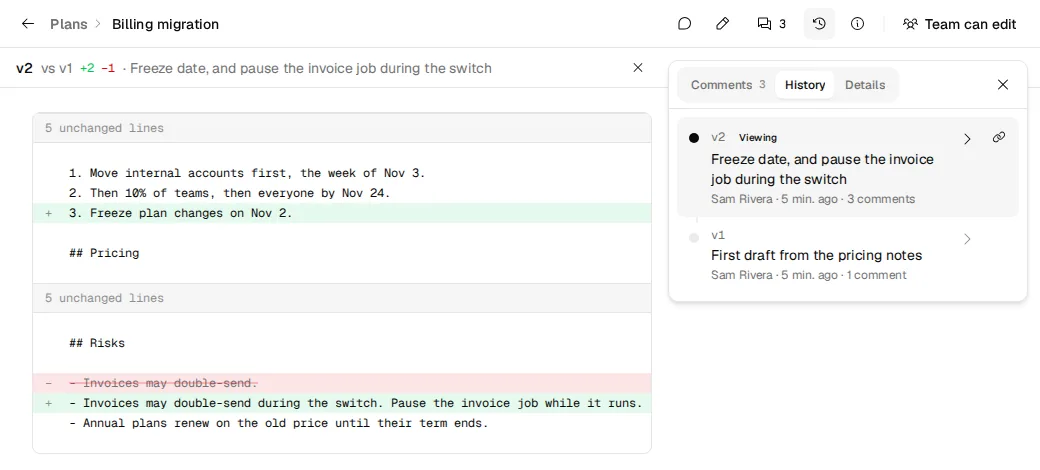
More in Versions.
Apps that run at a link
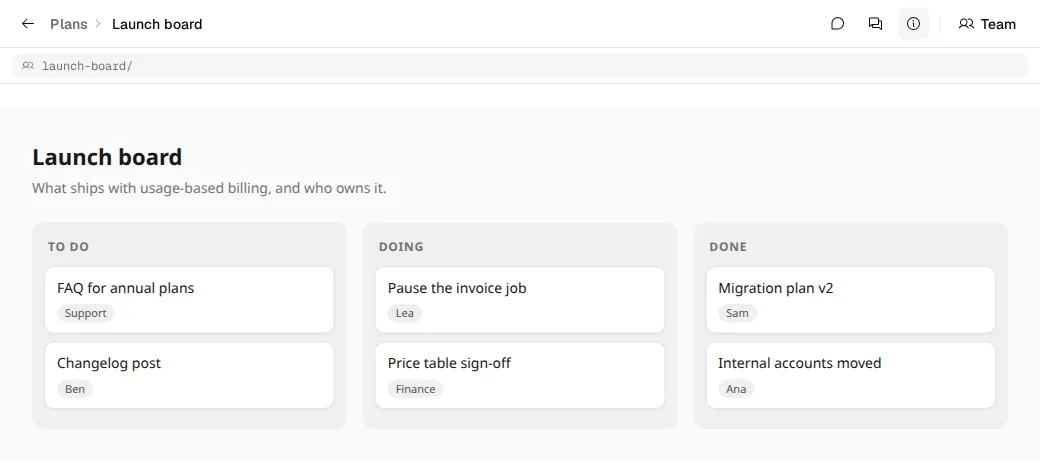
An agent publishes a folder of static files with an index.html: a prototype, a dashboard, a small game. The link runs it full screen, comments work on each of its pages, and the next version sends only the files that changed.
More in Apps.
Review a live site
Point a site review at your preview deploys. Reviewers press Comment on the running page and drag a box; the note lands in Drop with a screenshot, and your agent reads it and fixes the page.
More in Review a live site.
More
Search
Press ⌘K (Ctrl K on Windows and Linux), or Search in the sidebar, on any page of Drop while you're signed in. It finds drops by their title, file name, or link, and docs by the words inside their latest version. It searches your drops in every folder, then the ones shared with you. Without words, it lists your latest drops and Drop's pages. It also makes new drops: type new for a doc, which opens in the editor, a board, a folder, or a site review, or upload for a file. Inside a folder you add to, they go in that folder. On a drop's page it lists what you can do with that drop first, from editing and comments to sharing, moving, and the Trash. The theme and signing out are there too.
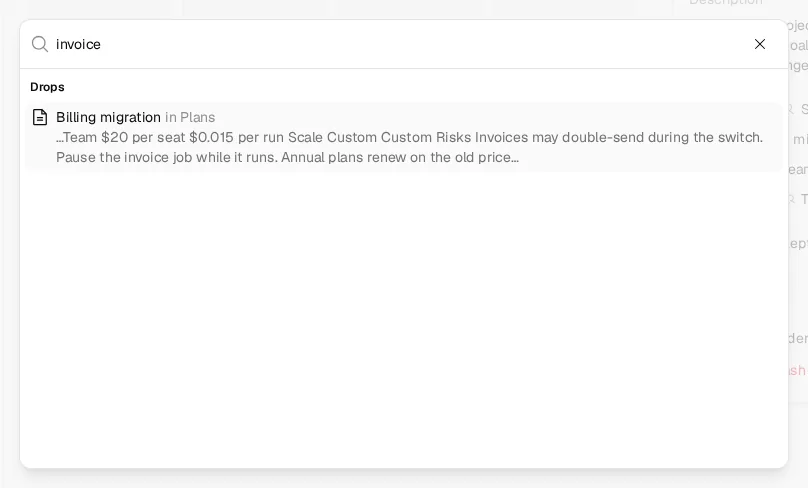
The search box on the Drops page (/ puts the cursor in it) looks inside every folder too, and a folder's page searches only what's inside it. Agents search with list_drops and query, and add folder to search one folder and everything below it.
Keyboard shortcuts
Press ? on any page of Drop to see them all. Keyboard shortcuts in the account menu and in ⌘K opens the same list.
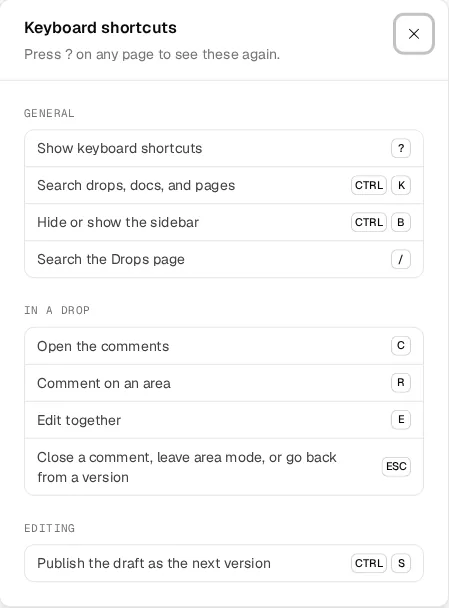
| Keys | What it does | Where |
|---|---|---|
| ? | Show keyboard shortcuts | Any page, signed in |
| ⌘K | Search, act on the drop open, or make a new one | Any page, signed in |
| ⌘B | Hide or show the sidebar | Any page, signed in |
| / | Search the Drops page | The Drops page |
| C | Open the comments | A drop's page |
| H | Open the history | A doc with more than one version |
| I | Open the details | A drop you manage |
| R | Comment on an area | A drop's page |
| E | Edit together | A drop's page |
| L | Copy the link | A drop's page |
| M | Copy as Markdown | A doc or a single HTML page |
| W | Switch the text width: readable, wide, or full | A Markdown doc |
| Esc | Close a comment, leave area mode, or go back from a version | A drop's page |
| ⌘S | Publish the draft as the next version | The live editor |
On Windows and Linux, use Ctrl for ⌘.
Folders agents follow
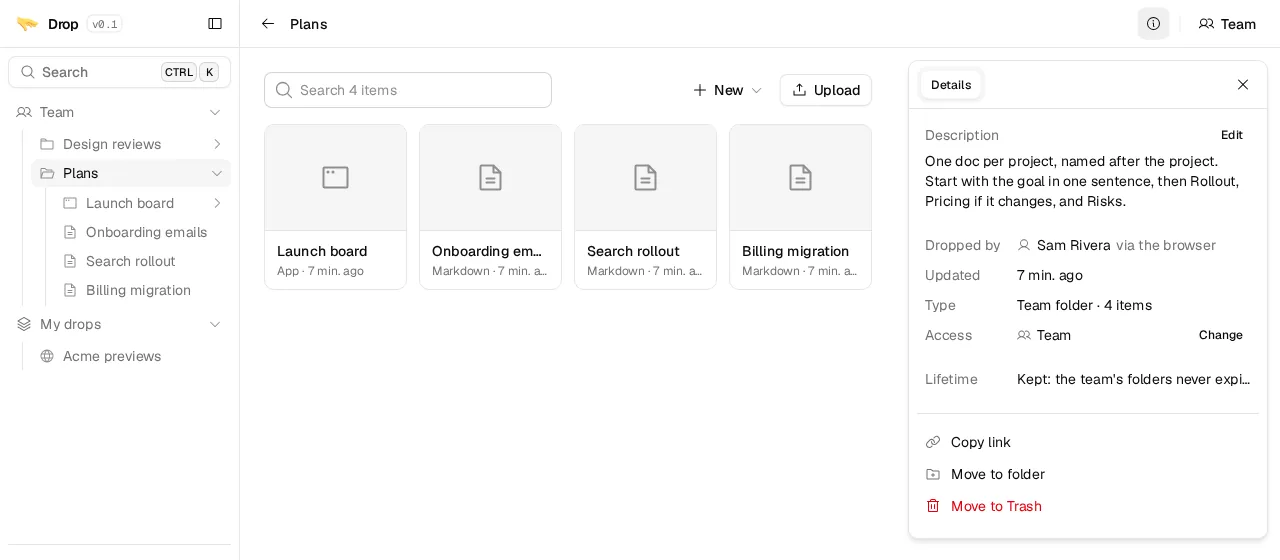
A folder's description says what goes in it and how to write it, like "One doc per project. Start with the goal, then Rollout and Risks." Agents read the descriptions before they publish, put the drop in the folder that fits, and follow what it asks. On a team Drop, admins make the team's folders.
More in Where agents publish and Folders.
Skills for your agent
Skills come with the server and teach your agent how to use Drop well: publishing for review, before-and-after evidence for pull requests, UI prototypes, handoffs, and visual explainers. The Skills page lists them, and an admin can switch one off for everyone.
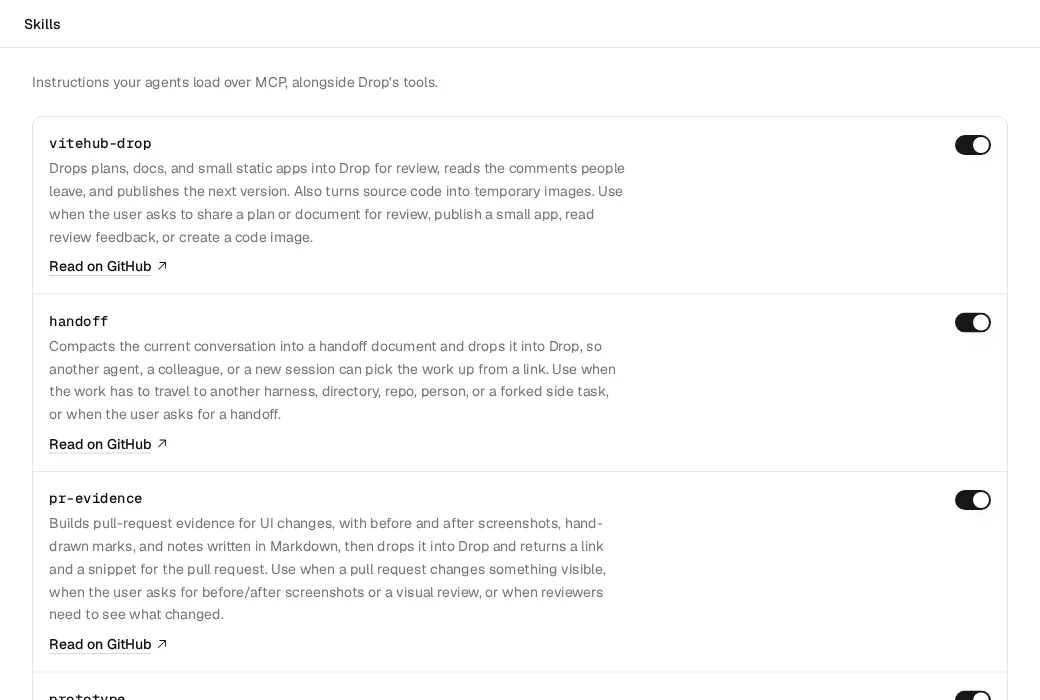
More in Skills.
Code images
Your agent turns a snippet into a highlighted, framed image at a link that lasts five minutes, for a pull request or a post.
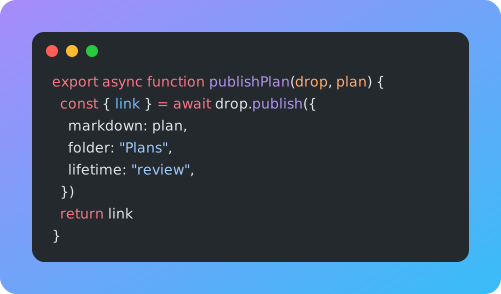
More in Code images.
Lifetimes and the Trash
Each drop says how long it lives: Temporary for 14 days after anyone last opened it, Review for 30, or Keep for good. A drop that expires goes to the Trash, where you can restore it for 15 days.
More in Lifetime and Trash.
Links
A drop can link to the pages it belongs with, such as the pull request it documents and that pull request's preview. They sit next to its title, each with its site's icon, and Details lists them all. Everyone who can open the drop sees them, on every version.
Agents set them when they publish. Pull request evidence links its pull request and preview on its own, and comments its own link on the pull request, so each leads to the other. The icons load from each site's own /favicon.ico, or its parent domain's when the address is behind a sign-in, never through an icon service.
Views
Views in a drop's Details count how often people and agents opened it, split into signed in, anonymous, and by agents. Only its owner and admins see them, and their agents get them from read_drop. Each viewer counts once a day, every version of a doc adds to the same count, and your own visits don't count.
Link previews and crawlers don't count. Drop tells anonymous visitors apart without cookies, by a hash of their address and browser that changes every day and is deleted the next.